
The following error message is displayed while your Twilio account is in trial. Important: as of January 31, 2024, toll-free verification is required — it is no longer an optional step. Messages sent from unverified or pending toll-free numbers are fully blocked to all U.S. and Canadian recipients (Twilio error 30032), so the number cannot message real recipients until Twilio approves the verification. Verification is free, but it takes time to process — typically 3 to 5 business days and sometimes longer — so submit it as early as possible so your alarms are not left unable to send.

To start, while in your Twilio account, you will have a link to access the Toll-free verification process as shown in red in the above picture. Click on that link to begin.
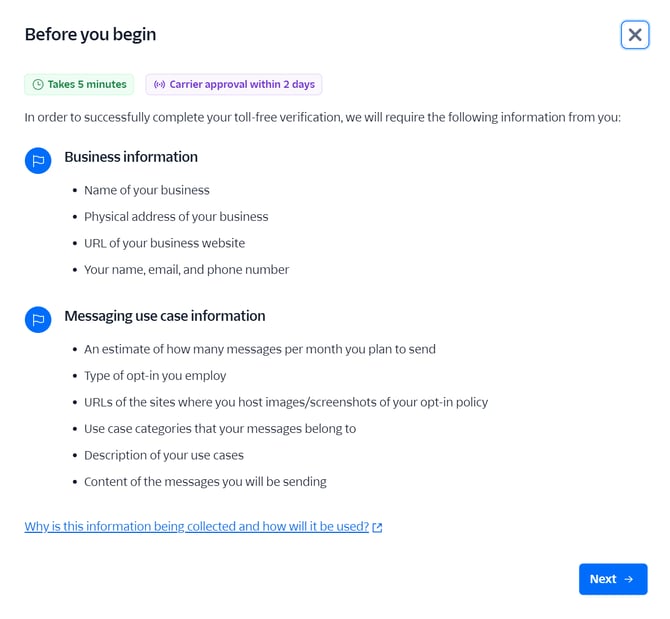
You will need the information displayed in the picture above to complete this process. Here are the 3 pages of information you will need to fill and submit:
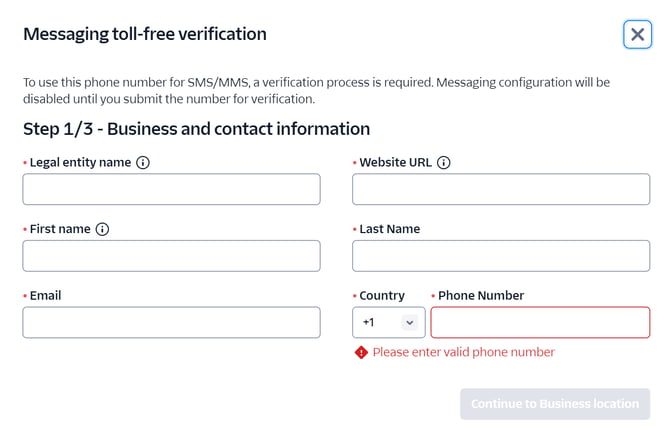
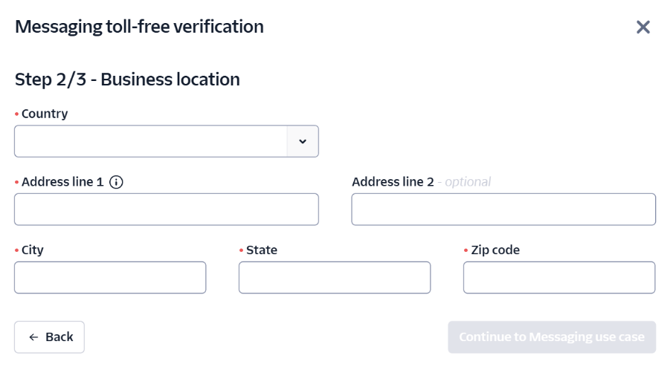
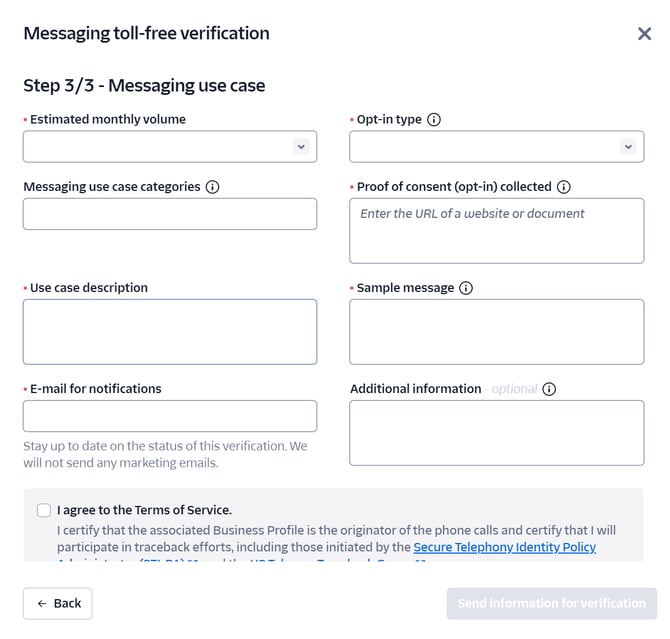
Once the above information is submitted, you should receive a verification email from Twilio stating that your account has been approved.
If your submission is rejected, Twilio emails you the reason and you can correct and resubmit the form. Common causes are unclear opt-in/consent details, business information that does not match your account, or an unreachable message-flow or opt-in URL.
For any questions, please contact Teldio Support at support@teldio.com.
Last reviewed: August 2026. Twilio and carrier requirements change over time; this guide is accurate as of that date. For the authoritative process, see Twilio's Toll-Free Verification documentation.